Apple-native answers for coding agents
An MCP server for Apple HIG, SwiftUI, UIKit, accessibility, and platform conventions — inside Cursor, Claude, Grok, and friends.
€9.99/mo · cancel anytime
Prefer manual setup?
Connect
In your agent
Pick a client, add Apple UI MCP, then verify the tools show up. Remote MCP at https://appleuimcp.com/mcp.
1Add to Cursor
Open Cursor and install Apple UI MCP automatically. Replace YOUR_API_KEY after you subscribe.
Deeplinks need a recent Cursor build. If nothing opens, use manual config below.
2Manual config
~/.cursor/mcp.json
{
  "mcpServers": {
    "appleuimcp": {
      "url": "https://appleuimcp.com/mcp",
      "headers": {
        "Authorization": "Bearer YOUR_API_KEY"
      }
    }
  }
}3Verify connected
- ✓
appleuimcpappears in your client's MCP / tools list - ✓Ask: "Use get_style_guide for accessibility on iOS"
- ✓401? Key must start with
appleuimcp_sk_and the Authorization header must be present
Tools
What the server can do
Three goal-oriented tools plus design-token resources and prompts your agent can call directly.
review_design
Score a UI snippet for HIG spacing, type, contrast, and accessibility — with concrete fixes.
generate_component
Produce production-ready Apple-styled components for React, SwiftUI, RN, Tailwind, or CSS.
get_style_guide
Pull focused HIG guidance on colors, typography, spacing, motion, materials, and a11y.
Examples
Prompt → output
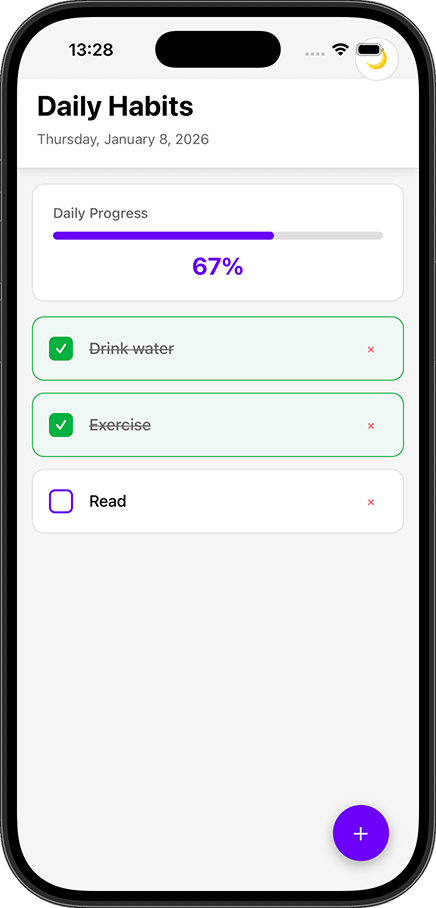
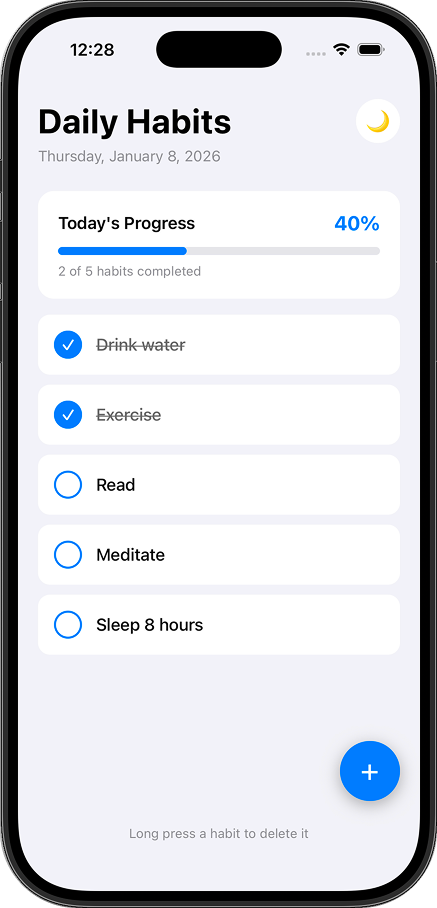
Static example previews — marked as samples so you can see the shape of a good answer before you subscribe.
Prompt
“Generate an Apple-style primary button in SwiftUI with Dynamic Type and accessibility labels.”
Example result
sampleButton("Continue") { }
.buttonStyle(.borderedProminent)
.controlSize(.large)
.accessibilityLabel("Continue to next step")
.padding(.horizontal, 16)
// 44pt hit target · SF Pro · system tintWhy €9.99
Worth it for shipping UI
HIG-curated
Guidance shaped around Apple Human Interface Guidelines — spacing, type, materials, and platform conventions your agent can actually apply.
Maintained tokens
Color, typography, spacing, motion, shadow, and material resources kept current so answers stay version-aware instead of stale training data.
Purpose-built MCP tools
Narrow tools — review_design, generate_component, get_style_guide — with clear inputs and outcomes, not a vague “ask about HIG” blob.
Works with
Where you already code
Remote HTTP MCP — no local binary to maintain. Your client sends Authorization: Bearer with your API key. Tools run only when your agent (and you) approve them.
Pricing
One plan
Everything included — €9.99/mo
- →review_design · generate_component · get_style_guide
- →Design-token resources & prompts
- →30+ component types
- →React / SwiftUI / React Native / Tailwind / CSS
- →Dashboard + API keys via email OTP
After checkout, generate a key on the dashboard.
Docs
Quickstart & troubleshooting
Subscribe → generate a key on the dashboard → paste config → restart your client. Replace YOUR_API_KEY with a key prefixed appleuimcp_sk_.
3
Restart & verify
Restart your AI coding tool, confirm appleuimcp is listed, then try get_style_guide.
Troubleshooting
MCP server not showing up
Save the config in the correct path, validate JSON (no trailing commas), and fully restart the client.
Authentication errors (401)
Keys start with appleuimcp_sk_. Regenerate from the dashboard if needed and confirm the Authorization header is present.
Connection timeouts
Allow appleuimcp.com through firewalls/proxies.
Tools not appearing in chat
Enable MCP in client settings (Cursor: Settings → Features → MCP; VS Code: agent mode).